
Problem solving · MacBook
MacBook Running Slow? 10 Fixes That Actually Work
Slow MacBook isn't always old age. Most often it's one fixable thing - here's the 10-minute diagnostic checklist we use at the bench.
MacBook Running Slow? 10 Fixes That Actually Work?
Quick answer
Check 1 - Storage full? (causes #1 slowdown)
macOS uses your SSD as virtual RAM (swap). When free space drops below 15% of total capacity, swap performance collapses and the entire system feels sluggish. On a 256GB MacBook that means staying above 38GB free.
Check: Apple menu → About This Mac → More Info → Storage Settings. Quickest wins: empty Downloads, empty Trash, delete old iOS device backups in Finder → iPhone, clear "Recommendations → Reduce Clutter".
Check 2 - Activity Monitor: what's hogging CPU
Open Applications → Utilities → Activity Monitor. Click the CPU column header to sort descending. The top 3 processes are your suspects. Common ones:
- kernel_task at 100%+ = thermal throttling (clean fans)
- mds / mdworker at 100% = Spotlight indexing (wait or exclude)
- WindowServer high = too many spaces, animations, or external displays
- Google Chrome Helper high = a single tab gone wild (close it)
Check 3 - Launch agents and login items
Many apps install background "helpers" that keep running even after you quit. System Settings → General → Login Items shows the visible ones. The hidden ones live in:
~/Library/LaunchAgents/- your user's auto-launch helpers/Library/LaunchAgents/- system-wide helpers/Library/LaunchDaemons/- root-level helpers
Free tool: KnockKnock by Objective-See lists every persistent component on your Mac.
Check 4 - macOS up to date?
Apple ships meaningful performance improvements in point releases. macOS Sequoia 15.4 specifically fixed an M3 thermal throttling bug. System Settings → General → Software Update - install pending updates.
Check 5 - Browser tabs and extensions
Chrome with 30 tabs and 8 extensions easily eats 8-12GB of RAM. On an 8GB M1 MacBook Air that's everything. Switch to Safari (genuinely 30-40% lighter on Apple Silicon) or ruthlessly close tabs.
Check 6 - Spotlight indexing stuck?
After a Time Machine restore or large iCloud download, Spotlight can re-index for 4-8 hours, hammering the SSD. Activity Monitor → search "mds_stores" - if CPU is high, wait it out. If it's still indexing 24 hours later, force a re-index by deleting/.Spotlight-V100 with Terminal (sudo).
Check 7 - Battery health (low health throttles M-series)
Below 80% battery health, M-series MacBooks engage performance throttling to protect the cell from peak current draw. System Settings → Battery → Battery Health. If "Service Recommended", the MacBook is permanently slower than it should be until replacement.
MacBook battery replacement from AED 450 - restores full performance.
Check 8 - Thermal throttling: fan issues
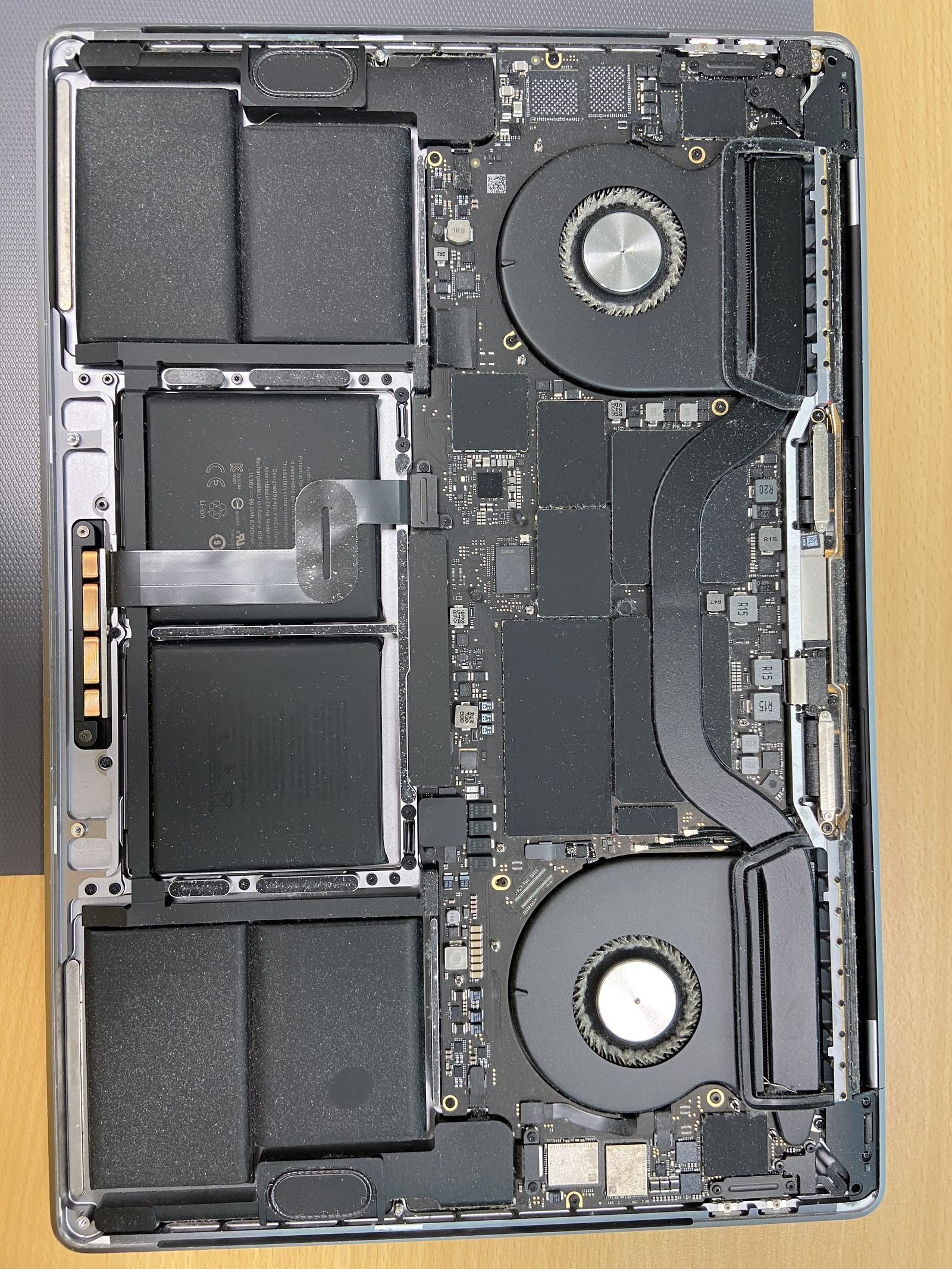
Dubai dust + 4+ years of use = clogged fan blades and heatsink fins. Fans spin loud, chassis runs hot, and the M-chip silently throttles to 30-50% of rated performance. Symptoms: kernel_task at 100% in Activity Monitor, MacBook hot to touch on the bottom. Professional fan and heatsink cleaning is AED 200 in our shop, takes 60 minutes.
Check 9 - Time Machine running constantly
Default Time Machine backs up every hour. On a slow external drive, that's constant disk activity. Check System Settings → General → Time Machine → Options → change "Back up frequency" to manual or every 6 hours.
Check 10 - Malware / adware
The biggest hidden cause of slow MacBooks in 2026 is browser-injected adware (search redirects, fake update prompts, fake "Mac is infected" pop-ups). Run free Malwarebytes for Mac - completes in 5 minutes, removes 95% of common adware. We offer MacBook virus removal for AED 200 if you'd rather we do it.
When SSD/RAM upgrade is the only answer
If you've completed all 10 checks and the MacBook is still slow, you've hit the hardware ceiling. Common signs: 8GB RAM + Photoshop or video editing, 256GB SSD with 5GB free, Intel MacBook trying to run macOS Sequoia.
M-series RAM is soldered - bad news
On M1/M2/M3/M4/M5 MacBooks the RAM is integrated into the M-chip package itself. RAM cannot be upgraded after purchase - the only option is selling and buying a higher-RAM model. This is why we always tell customers buying new: order at least 16GB. The AED 750 RAM upgrade at order time saves you AED 4,000 of "buy new MacBook" pain in year 4.
Intel MacBooks (2010-2017) often had socketed RAM and removable SSDs - those can still be upgraded. See our RAM upgrade page.
Frequently asked questions
- Most likely: 8GB RAM model with too many browser tabs, or storage below 15% free. M3 with 8GB RAM is genuinely cramped for 2026 workloads. Run through the 10 checks above - Activity Monitor will show you the real culprit.
- Yes - below 80% battery health, the system reduces peak CPU current to protect the cell. You won't notice in light tasks but heavy workloads (Xcode build, video export) become 20-40% slower. Battery replacement restores full speed.
- On M-series MacBooks the SSD is soldered - not upgradeable. On Intel MacBooks (2017 and earlier) yes, an SSD upgrade transforms speed. We offer Intel MacBook SSD upgrades from AED 400 plus the part.
- Slightly. Apps like CleanMyMac and OnyX clear system cache safely. Free 2-10GB of disk and a marginal speed boost. More effective: empty Downloads, delete old iOS backups, and uninstall unused apps.
- Symptoms: browser homepage changed without you doing it, search redirects to unknown engines, fake 'Mac infected' pop-ups, unknown apps in Login Items. Run free Malwarebytes for Mac - it scans in 5 minutes.
- Open Activity Monitor → CPU tab. Look for any process above 80% CPU sustained. If 'kernel_task' is the top item, you have thermal throttling - fans are clogged with dust and the M-chip is overheating. Fan cleaning AED 200.
- Almost always yes if your Intel MacBook is 2018 or older. M-series is 2-4× faster on most workloads, runs cooler, and gets 2× the battery life. Trade-in your Intel MacBook (we accept trade-ins) - common credit AED 800-2,500 depending on model.
- First 24-48 hours after a major macOS update, Spotlight re-indexes everything and apps re-build their caches. Wait 2 days before judging performance. If still slow after 1 week, run through the 10 checks - usually a launch agent or extension is incompatible with the new macOS.
Related on MacBook Repair Dubai
About the author
Usman is a senior macbook performance specialist at MacBook Repair Dubai, Dubai's longest-running Apple-only repair workshop (since 2004). Personally signs the QC checklist on every job leaving the bench.