
Buying guide · MacBook
How to Choose the Best Apple Laptop for Gaming
Macs can finally game in 2026 - but only if you buy the right chip and the right RAM up front. Here's the honest, no-hype breakdown from someone who repairs these machines every day.
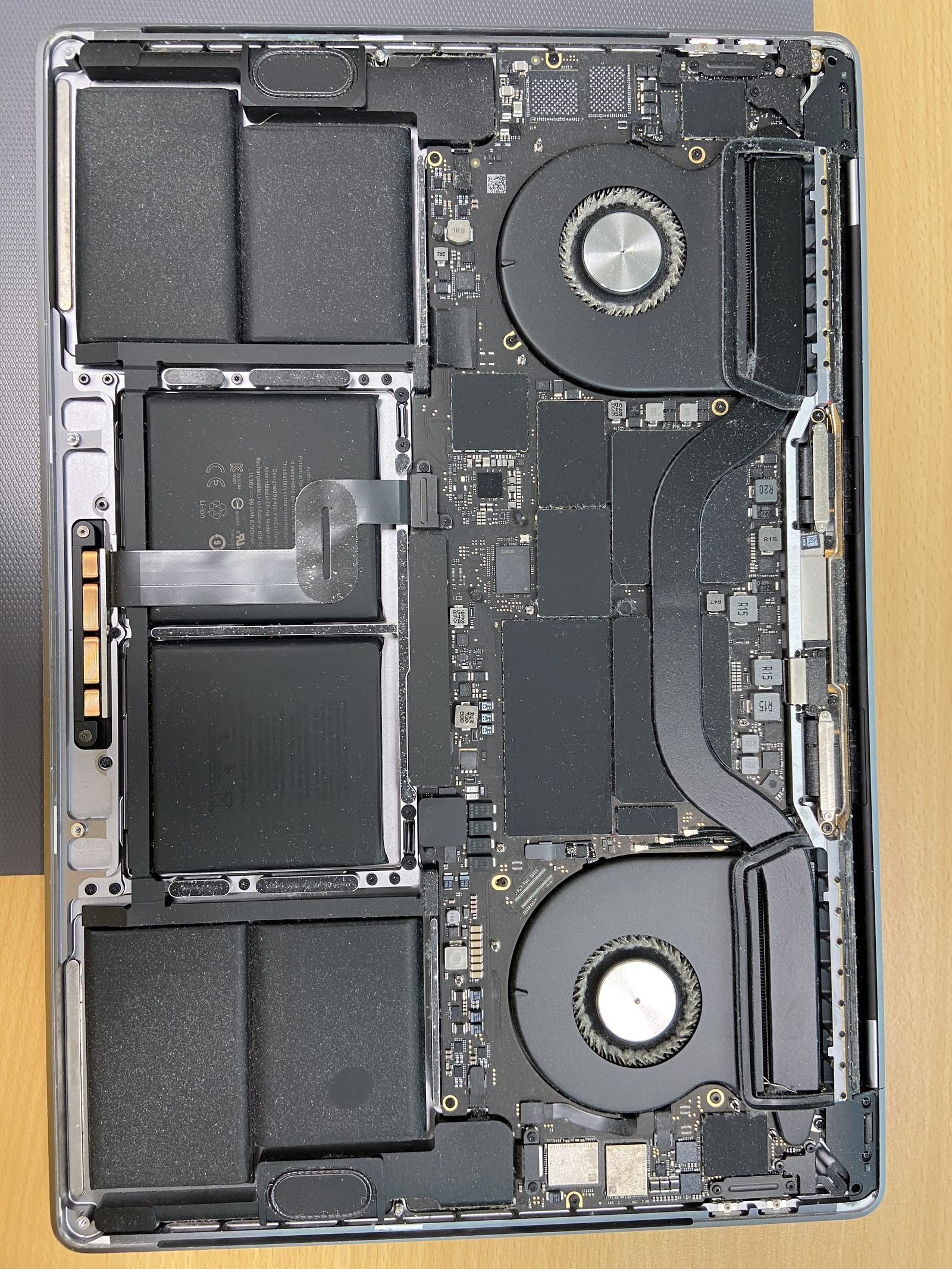
How to Choose the Best Apple Laptop for Gaming?
Quick answer
Can a MacBook actually game in 2026? Yes - with caveats
For years the honest answer was "buy a Windows PC." That has genuinely changed. Apple Silicon GPUs are fast, the Game Porting Toolkit lets games run translated with little effort, and real AAA titles now ship natively on macOS - Resident Evil 4 and Village, Death Stranding, Assassin's Creed Mirage, and Cyberpunk 2077 (the 2026 native release) among them. A MacBook will never beat a desktop with an RTX 5090, but for a portable that also does your work, it's now a credible gaming machine. The catch: you have to buy the right one, because you can't fix the two most important specs - GPU and RAM - after purchase.
Apple Silicon GPU tiers: base vs Pro vs Max
The single most important choice is the chip tier. Apple sells three GPU classes inside the M-series family, and the gap between them is enormous:
- M-base (e.g. M4): 8-10 GPU cores. Fine for indie games, older titles, emulation, and cloud gaming. It will run native AAA games but you'll be dropping to 1080p and medium settings.
- M-Pro: ~16-20 GPU cores. The sweet spot for most people who game seriously but not obsessively. Handles native AAA titles at good settings and translated Windows games respectably.
- M-Max: ~32-40 GPU cores. This is the only tier I'd call a "real" gaming GPU. If AAA gaming at high settings and high frame rates is your priority, buy Max. Nothing else in the lineup comes close.
My rule: casual gamer, get base or Pro. Serious gamer who wants the latest AAA titles to look good - get Max. There's no software fix for being one tier short, so decide honestly before you order.
RAM is the spec people get wrong - and it's soldered
Apple Silicon uses unified memory: the CPU and GPU share one pool. That means your "VRAM" comes out of the same RAM your apps use, so games are hungrier for it than on a PC where the GPU has its own dedicated memory. And critically - the RAM is soldered into the chip package and cannot be upgraded later. Whatever you buy on day one is what you keep for the life of the machine.
- 16GB: the absolute minimum for gaming in 2026. Fine for lighter titles; tight for AAA games while anything else is open.
- 32GB: the real recommendation for AAA gaming. Gives the GPU headroom and lets you keep Discord, a browser, and the game running together.
- 48GB+: worth it if you also do video editing, 3D, or development alongside gaming.
Because it's soldered, the AED few-hundred you save by under-speccing RAM today becomes a "sell it and buy a new MacBook" problem in two years. Buy up front. The same logic applies to any Mac you buy for heavy work - see our breakdown of the best Mac for developers in 2026. If you're on an older Intel MacBook with socketed memory, a MacBook RAM upgrade in Dubai is still possible - but that option died with Apple Silicon.
MacBook Pro 14/16 vs MacBook Air: thermals decide it
This matters more for gaming than almost anything. The MacBook Air has no fan. It cools passively, which is silent and lovely for everyday work - but during a long gaming session the chip heats up and macOS throttles performance to protect it. Your frame rate quietly drops the longer you play.
The MacBook Pro 14 and 16 have active cooling, so they sustain full performance through marathon sessions. They also offer the Max chip (the Air never does) and a 120Hz ProMotion display that makes fast games feel noticeably smoother. For gaming, the Pro isn't a luxury - it's the correct tool. The Air is a fine machine for cloud gaming or short casual sessions, but don't expect it to hold frame rates for hours. If your current Mac runs hot and slow under load, that may also be dust-clogged fans - our MacBook overheating fix in Dubai restores throttled performance.
How to actually run games: native, Game Porting Toolkit, and cloud
There are three ways to game on a modern Mac, and most people use a mix:
- Native macOS games: always the best experience. Browse the Mac App Store and Steam's macOS catalogue. The native AAA list is real now - Resident Evil, Death Stranding, AC Mirage, Cyberpunk 2077, and a growing roster.
- Game Porting Toolkit / Whisky / CrossOver: Apple's GPTK translates Windows games to run on Apple Silicon. Whisky and CrossOver wrap it in a friendly app so you can run many Windows-only titles. Performance varies per game, but the library it opens up is huge.
- Cloud gaming (GeForce NOW): the GPU lives in NVIDIA's data centre and streams to your Mac. Even a base MacBook Air can play demanding AAA games this way on a good connection. It's the great equaliser - and a strong reason not to overspend on hardware if you mostly game at home.
What about Boot Camp and Windows?
Important and often misunderstood: Boot Camp does not exist on Apple Silicon. You cannot dual-boot Windows on an M-series MacBook to play Windows games the old way. Boot Camp only ever worked on Intel Macs. If you have an Intel MacBook and want native Windows for gaming, our Boot Camp Windows installation in Dubai covers exactly that. On Apple Silicon your Windows-gaming routes are GPTK translation or cloud streaming - not Boot Camp.
Recommended configs by budget
Here's what I'd actually tell a friend, based on what they play:
- Budget / casual + cloud gaming: MacBook Air (base M-chip) with 16GB RAM. Pair it with GeForce NOW for the heavy stuff. Silent, portable, great all-rounder - just not for hours of native AAA gaming.
- Best value for real gaming: MacBook Pro 14 with an M-Pro chip and 32GB RAM, 1TB SSD. Active cooling, ProMotion, enough GPU and memory for native AAA at good settings. This is the config I recommend most.
- Serious / no compromise: MacBook Pro 16 with an M-Max chip and 48GB+ RAM, 1TB+ SSD. The big screen, the strongest GPU, and thermals that never quit. The closest a MacBook gets to a gaming laptop.
Whatever tier you pick, spend on the chip and the RAM first - those are the two things you can never change later. You can always add an external SSD for storage, and you can stream the games your hardware can't run.
Honest bottom line
A MacBook in 2026 is a genuinely good gaming machine for casual to serious players, especially if you value a silent, portable computer that also does real work. It is not going to replace a desktop gaming PC for competitive esports at maximum frame rates - and that's fine, because that was never the point. Buy a Pro for the cooling and the Max chip if gaming is a priority, load up on RAM because you can't add it later, and lean on cloud gaming to fill the gaps. Do that and you'll be happy for years. If you've got questions about a specific model before you buy, get in touch with us - we see every Mac configuration come through the workshop.
Frequently asked questions
- Yes, far more than it used to be. Apple Silicon GPUs are fast, real AAA titles now ship natively on macOS (Cyberpunk 2077, Death Stranding, Resident Evil, AC Mirage), and the Game Porting Toolkit runs many Windows games. A MacBook Pro with a Max chip is a credible gaming machine. It won't beat a high-end desktop PC, but for a portable that also does your work, it's a strong choice.
- The Max tier is the only one I'd call a real gaming GPU, with roughly 32-40 GPU cores for AAA games at high settings. The Pro tier (~16-20 cores) is the sweet spot for most serious gamers. The base chip is fine for indie games, emulation, and cloud gaming. There's no software fix for buying a tier too low, so choose honestly up front.
- 16GB is the bare minimum, 32GB is the real recommendation for AAA gaming, and 48GB+ if you also edit video or develop. Apple Silicon uses unified memory shared between CPU and GPU, so games need more of it than a typical PC. Critically, the RAM is soldered and cannot be upgraded later - buy more than you think you need.
- No, not on Apple Silicon. The RAM is integrated into the M-series chip package and is soldered - it cannot be changed after purchase. Whatever you order on day one is permanent. Older Intel MacBooks sometimes had socketed RAM you could upgrade, but that option ended with Apple Silicon.
- The MacBook Pro 14 or 16, because of thermals. The Air has no fan, so it throttles performance during long gaming sessions and your frame rate drops over time. The Pro has active cooling, offers the Max chip, and has a 120Hz ProMotion display. The Air is fine for cloud gaming or short casual sessions only.
- No. Boot Camp does not exist on Apple Silicon - you cannot dual-boot Windows on an M-series MacBook. Boot Camp only ever worked on Intel Macs. On Apple Silicon, your options for Windows games are the Game Porting Toolkit (translation) or cloud gaming. If you have an Intel Mac, we offer Boot Camp Windows installation in Dubai.
- It's Apple's technology that translates Windows games to run on Apple Silicon. Apps like Whisky and CrossOver wrap it in a friendly interface so you can run many Windows-only titles on your Mac. Performance varies per game, but it dramatically expands what you can play beyond the native macOS catalogue.
- Yes - it's one of the best reasons not to overspend on hardware. Services like GeForce NOW run the game on a remote GPU and stream it to your Mac, so even a base MacBook Air can play demanding AAA titles on a good internet connection. It's a great way to fill the gaps your local hardware can't cover.
Related on MacBook Repair Dubai
About the author
Shafiq is a founder & senior apple technician at MacBook Repair Dubai, Dubai's longest-running Apple-only repair workshop (since 2004). Personally signs the QC checklist on every job leaving the bench.