
Buying advice · MacBook
Do MacBooks Last Over a Decade?
After 21 years fixing Apple machines in Dubai, here's the honest answer: a well-kept MacBook often lasts 7-10+ years - and a couple of cheap repairs usually beat buying new.
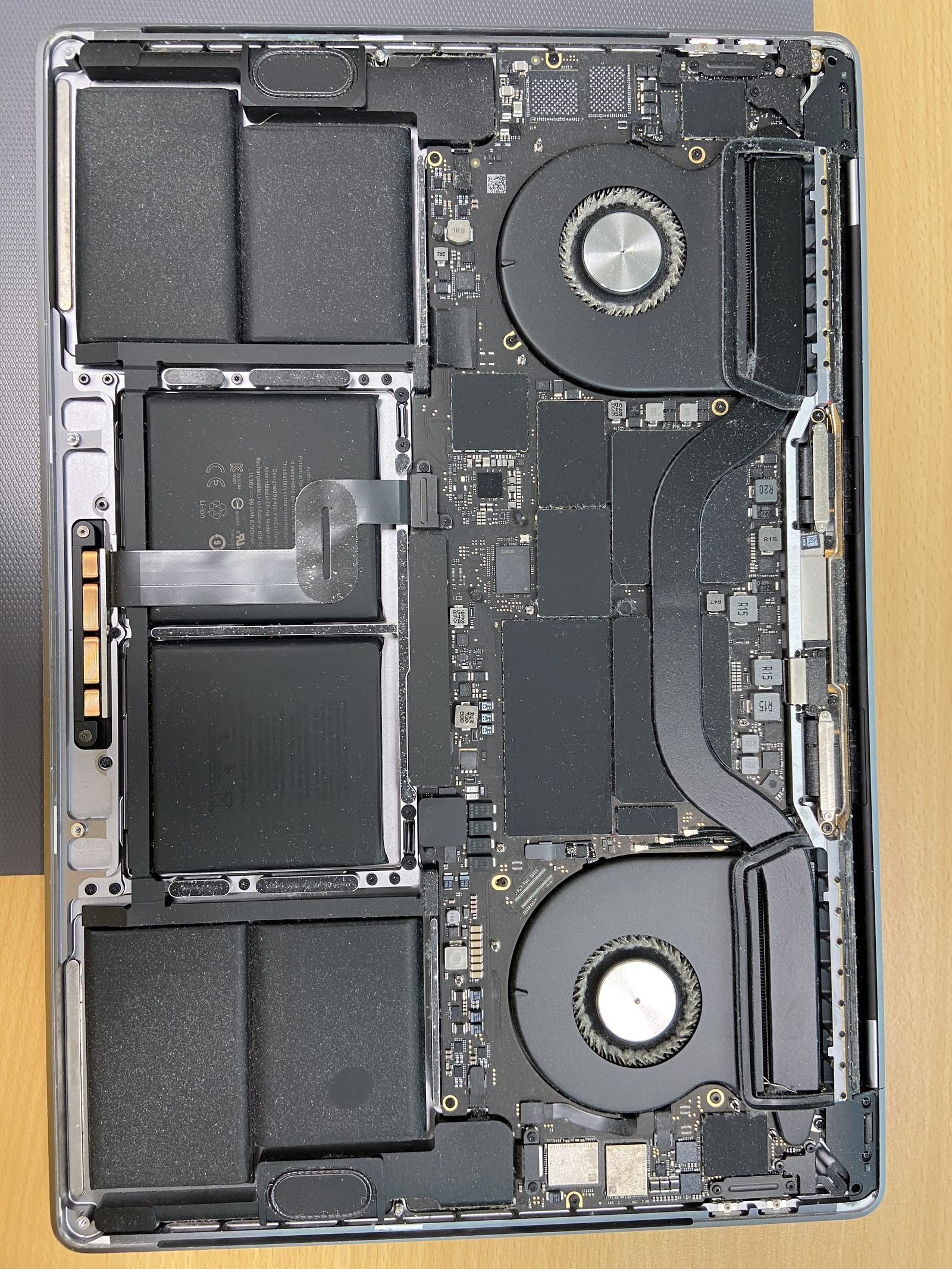
Do MacBooks Last Over a Decade?
Quick answer
The short answer: yes, comfortably
MacBooks are built to outlast most laptops. In our Dubai workshop we still service 2015 and 2017 machines every week, and they run fine for everyday work. A realistic, honest range is 7-10 years of useful life, and plenty cross the decade mark. The aluminium body and the chip almost never fail. What actually ages a MacBook out is two predictable things: the battery wearing down, and Apple eventually dropping the model from new macOS releases.
So when someone asks "is it worth keeping my old MacBook?", the answer is usually yes - for the price of one or two parts you reset the clock by several years.
What actually limits a MacBook's lifespan
Nothing about a MacBook "expires" on a set date. Instead a handful of specific components and policies set the practical ceiling:
- Battery cycles (~1,000): Apple rates MacBook batteries for around 1,000 charge cycles before capacity drops noticeably. Most people hit that in 3-5 years. After it, runtime shrinks and the Mac may throttle - but it is a swap, not a death sentence.
- macOS support window (~7-8 years): Apple typically supports a MacBook with new macOS versions for about 7-8 years, plus a couple more years of security patches. Once a model drops off, it still works - it just stops getting the newest features.
- SSD wear: flash storage has finite write endurance. Heavy users (video, large databases) can wear an SSD over many years; light users rarely reach the limit. On Apple Silicon the SSD is soldered, so health matters more.
- Heat over time: years of dust and a clogged fan let the chip run hot, which stresses everything around it. This is very real in Dubai - more on that below.
- Accidents: drops, spills and cracked screens end more MacBooks early than wear ever does. Those are repairs, not write-offs.
Intel vs Apple Silicon: longevity is not equal
This is the single biggest factor in how long your specific MacBook will last.
Intel MacBooks (roughly 2010-2020) generally give 6-9 good years. The MacBook Air tends to land at the lower end (6-7 years), the Pro a little higher (7-9). They run hotter, drain battery faster, and were the first to be dropped from recent macOS releases. The upside: many Intel models have an SSD you can actually replace or enlarge, which is a cheap way to extend their life.
Apple Silicon MacBooks (M1 and later, 2020 onward) are on track to last longer - we expect 8-12 years of real use. They run cooler, sip battery, and are so far ahead on performance that an M1 from 2020 still feels fast in 2026. The trade-off is that RAM and SSD are soldered to the chip, so you cannot upgrade them later. That makes the spec you buy on day one - and looking after the battery - much more important.
What you can do to extend it
The difference between a MacBook that dies at year 5 and one that sails past year 10 comes down to a few habits and a couple of well-timed repairs:
- Replace the battery when it's tired. A fresh battery is the single best-value way to make an old MacBook feel new. MacBook battery replacement is AED 450 here, and it restores runtime and stops performance throttling.
- Upgrade the SSD (Intel models). If you have an Intel MacBook with a small or slow drive, an SSD upgrade (AED 700) makes it faster and gives you years more headroom. Soldered Apple Silicon drives can't be changed - one more reason to size up at purchase.
- Keep it cool and clean. Don't let dust choke the fans - see our overheating fix. Fan and heatsink cleaning is AED 200 and protects the chip from years of heat stress.
- Install macOS updates while your model is still supported, and keep 15% of the SSD free so the system isn't constantly thrashing storage.
- Manage charging. Use Optimized Battery Charging and avoid sitting at 100% in the heat for days on end - that ages the cell faster.
Dubai heat is the silent killer
Most lifespan advice ignores climate - we can't, because we see what 45°C summers and fine desert dust do. Heat is the enemy of both batteries and electronics. A MacBook left in a hot car, used on a bed or sofa that blocks the vents, or run for years with dust- clogged fans will age far faster than the same machine in a cool office. Two cheap habits - keep the vents clear, and book a fan clean every couple of years - do more for longevity here than almost anything else. Free diagnosis if you're not sure how hot yours is running.
Repair vs replace: the honest maths
This is where people overspend. A new MacBook in 2026 starts well north of AED 4,000 and climbs fast with more RAM and storage. Now compare that to fixing the machine you already own:
- Battery replacement - AED 450
- SSD upgrade (Intel) - AED 700
- Screen replacement - AED 600
- Logic board repair - AED 800
- Fan / heatsink cleaning - AED 200
- Diagnostic - free
A tired but otherwise healthy MacBook usually needs just a battery, or a battery plus an SSD - call it AED 450 to AED 1,150. That buys you another 3-4 years for a fraction of a new Mac's price. Our simple rule: if the repair costs less than about half the value of the machine, and the model still gets macOS updates, fix it. Replace when several major parts are failing at once on an old Intel model that's also lost macOS support - at that point you're throwing good money after bad. We'll always tell you honestly which side of the line your Mac is on; that's the whole point of the free diagnosis.
Want the longer breakdown? We wrote a full piece on repair vs buying new in 2026, and if you're considering a used Mac, read should I buy a refurbished MacBook in Dubai.
How to tell where your MacBook stands
Before you decide anything, check three numbers. They tell you almost everything about remaining life:
- Battery health and cycle count: System Settings → Battery → Battery Health. Under 80% health or "Service Recommended" means a battery is due - see our battery health check guide.
- macOS support: if Software Update still offers the latest macOS, you have years of life left.
- Free storage: below 10-15% free and the Mac feels old when it isn't. Clearing space (or upgrading an Intel SSD) often "fixes" a Mac people thought was dying.
If you'd rather we just check it, bring it in or message us - diagnosis is free and we'll give you the honest verdict.
Frequently asked questions
- Many do. The body and chip rarely fail, so the limiting factors are the battery (around 1,000 cycles) and the macOS support window (about 7-8 years). With one or two inexpensive repairs - usually a battery - a healthy MacBook comfortably runs 10+ years for everyday use.
- Apple rates MacBook batteries at roughly 1,000 charge cycles, which most people reach in 3-5 years. After that, runtime drops and the Mac may throttle. Replacement is AED 450 here and restores both runtime and full performance - it's the best-value way to extend a MacBook's life.
- Almost certainly. Apple Silicon (M1 and later) runs cooler, lasts longer on battery, and is so fast that 2020 models still feel quick today - we expect 8-12 years of use. The catch is soldered RAM and SSD, so choose enough at purchase since you can't upgrade later.
- If the repair costs less than about half the machine's value and the model still gets macOS updates, repair. A battery (AED 450) or battery plus SSD (up to about AED 1,150) typically buys 3-4 more years versus AED 4,000+ for a new Mac. Diagnosis is free, so you can decide with real numbers.
- Yes. Heat ages batteries and electronics, and dust here clogs fans, which lets the chip run hot for years. Keep the vents clear, avoid hot cars, and book a fan clean (AED 200) every couple of years. These small steps matter more for longevity in Dubai than almost anything else.
- On Intel MacBooks, yes - an SSD upgrade (AED 700) adds speed and storage and extends usable life. On Apple Silicon, RAM and SSD are soldered and can't be changed, so the main 'upgrade' is a fresh battery and keeping it cool and updated.
- Apple typically supports a model with new macOS versions for about 7-8 years, then provides security patches for a couple more. Even after support ends the Mac keeps working - it just won't get the newest features. Check Software Update to see whether your model still qualifies.
- Check three things: battery health (System Settings → Battery; under 80% means a battery is due), whether Software Update still offers the latest macOS, and that you have 10-15% free storage. If you'd rather not, bring it in - our diagnosis is free and we'll give you an honest verdict.
Related on MacBook Repair Dubai
About the author
Shafiq is a founder & senior apple technician at MacBook Repair Dubai, Dubai's longest-running Apple-only repair workshop (since 2004). Personally signs the QC checklist on every job leaving the bench.